
If you’ve ever stood up after sitting too long and felt that “catch” in your low back, you already get why inversion tables are so tempting. I’ve worked with a lot of back-pain-prone bodies (including my own cranky lumbar days), and here’s the honest truth: an inversion table can feel amazing for some lower back pain patterns, but it’s not magic, and it’s not for everyone.
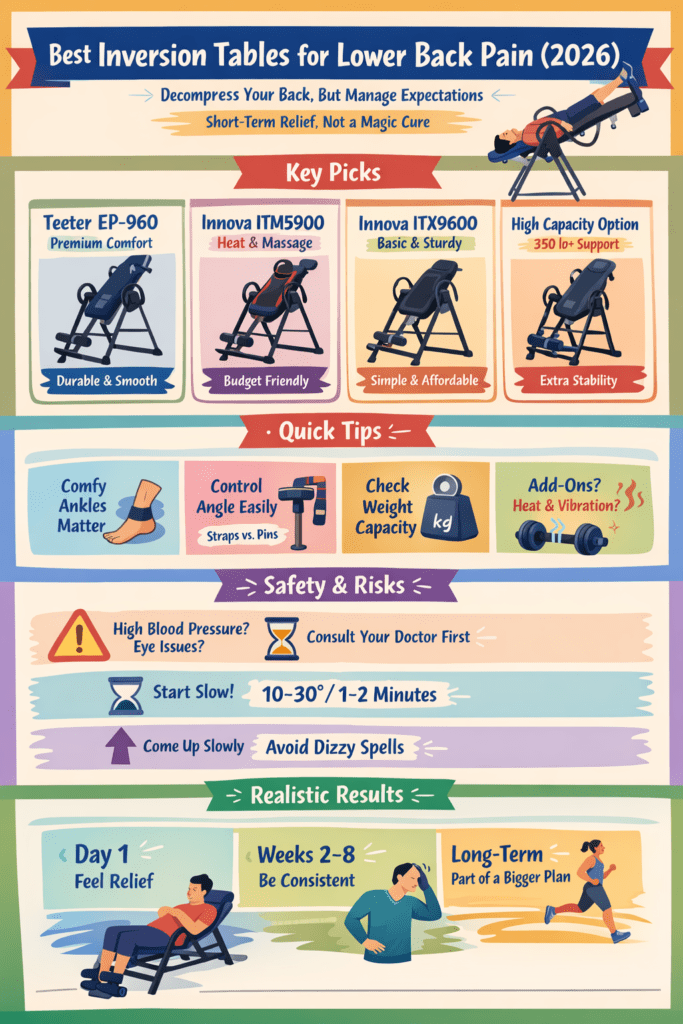
Think of inversion like a tool for temporary decompression—a way to create space, calm irritated tissues, and relax tight muscles. If you go in expecting “one session fixes everything forever,” you’ll be disappointed. If you go in expecting a repeatable, short-term relief tool that can support a broader plan (walking, core work, mobility, smart lifting habits), you’ll usually get a better outcome. Cleveland Clinic makes the same point: inversion may help as part of a bigger strategy, not as a solo cure.
Below is how I’d choose the best inversion tables for lower back pain in 2026, what to watch out for, and which models fit which kind of person.
What An Inversion Table Can (And Can’t) Do For Low Back Pain
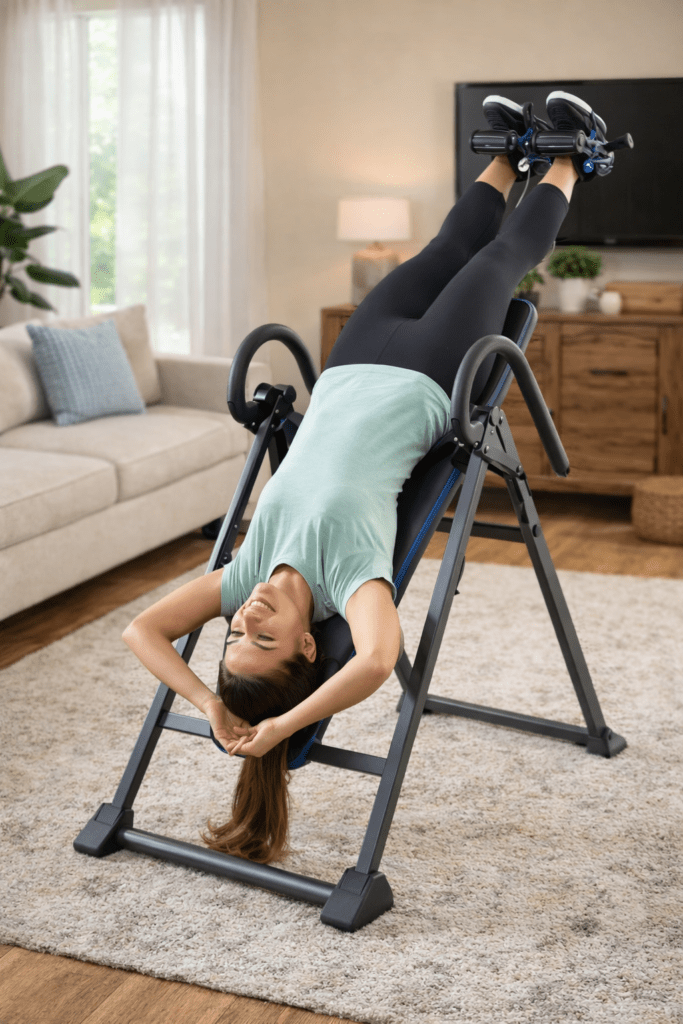
What it’s good at
- Fast pressure relief when your back feels compressed (especially after sitting, driving, or heavy lifting days)
- Muscle relaxation (many people feel their back “let go” after 1–3 minutes)
- Mobility-friendly traction that you control (angle + time)
What it won’t reliably do
- Permanently “fix” disc issues on its own
- Replace strength, movement, or rehab work
- Work well if your pain is primarily from something unrelated to compression (some facet joint patterns, some inflammatory issues, etc.)
Also, research around traction is mixed and tends to show more short-term benefit than long-term transformation—especially when traction is used alongside other care.
Quick Decision Guide
1) Comfort at the ankles matters more than people think
If your ankles hurt, you won’t use the table consistently. Look for ergonomic ankle supports or systems designed to reduce pressure.
2) Angle control: straps vs pin systems
- Pin systems = fast, repeatable angles (great for daily habits)
- Straps = cheaper, but fussier and easier to “wing it”
3) Your body size decides your shortlist
Check height range and weight capacity first. If you’re tall or need higher capacity, prioritize that over bells and whistles.
4) Decide if you want “extras” (heat/vibration) or pure basics
Heat/vibration can feel great for tight backs, but it adds cost and sometimes requires nearby power.
Best Inversion Tables for Lower Back Pain (2026 Picks)
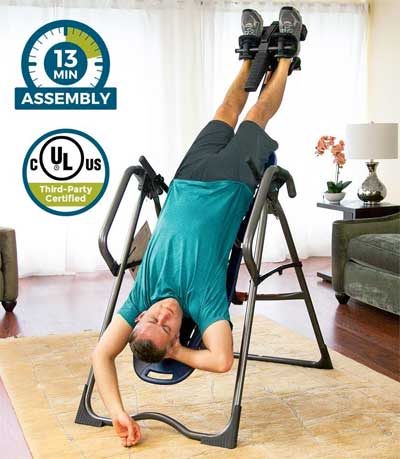
1) Teeter EP-960 (Premium feel, smooth movement)
If you want a “buy once, cry once” table that feels refined and stable, the EP-960 style category is hard to beat. The smoother rotation and comfort-focused design tends to make people actually use it, which is the whole game. InversionExpert’s Teeter comparison highlights the angle control and comfort design.
Teeter EP-560 vs EP-960 Comparison
Best for: frequent users, people who want comfort + durability
Trade-off: costs more than budget tables
2) Teeter EP-560 (Strong all-around value in Teeter’s line)
If you want Teeter quality without jumping to the higher tier, the EP-560 is a go-to. Teeter lists it as a comfort/relief-focused model with a multi-year warranty and pricing that varies by configuration.
Best for: people who want a trusted brand and plan to use it often
Trade-off: still not “cheap,” but usually worth it if you’ll be consistent
3) Innova ITM5900 (Budget-friendly with heat + massage)
This one is popular for a reason: it packs comfort features into a price category that feels more accessible. InversionExpert calls out the heat/massage backrest and supportive feel for the money.
Innova ITM5900 Review
Best for: tight backs that respond well to warmth and vibration
Trade-off: needs power for the heat/massage, and the “massage zone” won’t hit everyone perfectly
4) Innova ITX9600 (Affordable, sturdy, easy angle setting)
This is the kind of table I like recommending when someone says, “I want solid basics, I don’t want to overthink it.” The pin-style angle approach is simple and repeatable.
Innova ITX9600 – Good or Bad?
Best for: beginners who want stability without premium pricing
Trade-off: fewer “luxury comfort” touches than higher-end models
5) High-capacity option (If you need extra stability and load rating)
If you’re taller, heavier, or just want a tank-like feel, go straight to a high-capacity table rather than forcing a standard model to work.
350-lb Capacity Inversion Table for Tall People
Best for: tall users, higher weight needs, anyone wanting max stability
Trade-off: bigger footprint, usually heavier to move/store
Trade-Offs, Risks, And Realistic Expectations
The big safety reality: inversion changes pressure in your body

Inversion can raise blood pressure and increase pressure in your head/eyes, which is why it’s not recommended for certain conditions. Cleveland Clinic specifically flags risks for people with blood pressure issues, heart conditions, glaucoma/eye disease, reflux, pregnancy, stroke history, and more.
WebMD gives similar cautions and suggests starting at smaller angles and short durations.
Rule I live by: if you have any relevant medical condition—or you’re unsure—talk to your clinician first.
Realistic results timeline
- Day 1: many people feel relief immediately, but it may be temporary
- Weeks 2–8: consistency often matters more than angle (Cleveland Clinic notes longer-term improvement may take weeks if done regularly).
- Long-term: best outcomes usually happen when inversion supports a broader plan (walking, PT exercises, core endurance, hip mobility)
A simple starter protocol (that most people tolerate)
- Start at 10–30° for 1–2 minutes
- Come up slowly
- Build up to 3–5 minutes, once or twice daily (WebMD suggests keeping sessions short).
Frequently Asked Questions
How far upside down do I need to go for lower back pain?
Usually not all the way. Many people get relief at partial angles (think 20–60°). Full inversion is optional, not required.
How often should I use an inversion table?
For most people who tolerate it well: a few minutes daily beats one long weekend session. Consistency > intensity.
Can inversion tables help a herniated disc or sciatica?
Sometimes, especially for short-term symptom relief, but results vary. Research on traction shows mixed findings and often favors short-term benefits (particularly when paired with other care).
What are the biggest reasons people quit using inversion tables?
- Ankle discomfort
- Fear of going “too upside down”
- No routine
That’s why I prioritize ankle comfort + simple angle controls + a realistic plan.
Who should avoid inversion tables?
People with certain conditions (including blood pressure or heart issues, glaucoma/eye disease, stroke history, reflux, pregnancy, and others) should avoid or get medical clearance first. Cleveland Clinic and WebMD both emphasize this.
Reputable Resources For More Information
- Cleveland Clinic: inversion tables, benefits, risks, and realistic expectations
- WebMD: safety guidance, timing, side effects, who should avoid
- PubMed (Clin Rehabil): traction meta-analysis for herniated-disc-related low back pain
- Oxford Academic (Physical Therapy Journal): traction systematic review/meta-analysis for lumbar radiculopathy
- AAFP (endorsing ACP guideline): noninvasive treatment guidance for low back pain
Conclusion: The “Best” Table Is The One You’ll Use Safely
If your lower back pain has a compression/tension component, a good inversion table can be a reliable relief tool—especially when you keep sessions short, use a comfortable ankle system, and stay consistent. But don’t gamble with the risks: if you have any red-flag conditions, get clearance first, and keep the expectation grounded—inversion is support, not a standalone cure.
If you want the fastest path to choosing, I’d do this:
- Want premium comfort + frequent use? Start with Teeter comparisons.
- Want value + extra soothing features? Look hard at the Innova ITM5900.
- Want simple, sturdy basics? ITX9600 style tables are a strong entry point.
- Need high-capacity stability? Don’t compromise—buy for your size.
And if you want more guidance from within the site, these internal pages are worth reading next: