
If you’ve been shopping for an inversion table lately, you’ve probably noticed something: almost everything is “manual.” You lock your ankles, shift your weight, and the table rotates based on balance and your body control.
Then you stumble across the unicorn category: motorized (powered) inversion tables—push-button tilt, automatic rotation, and less physical effort.
So… which is better?
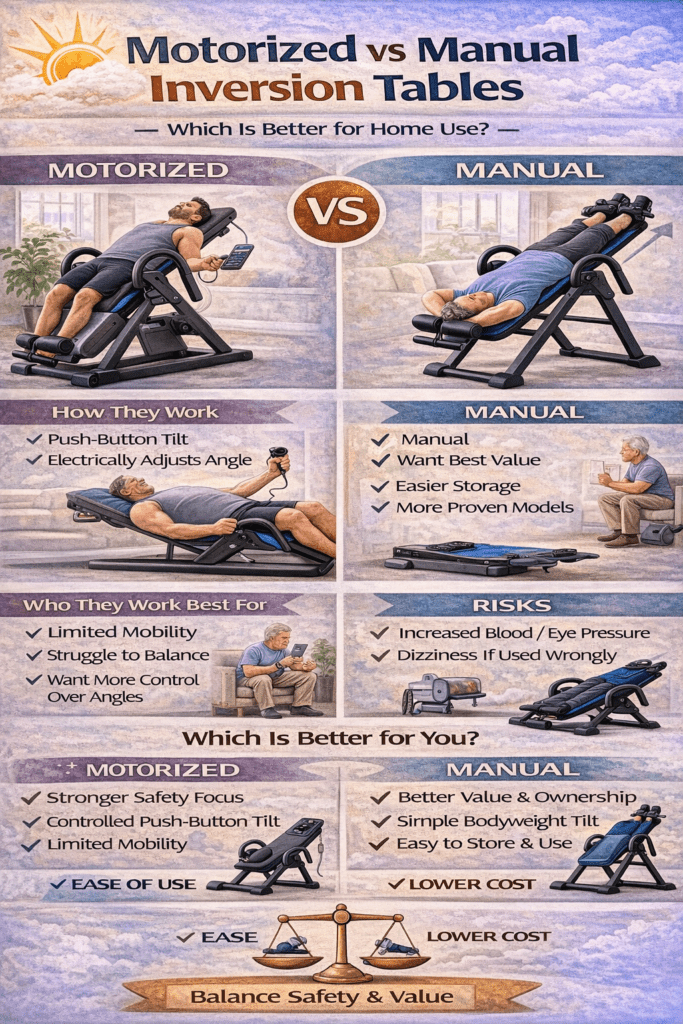
Here’s my honest take from years of seeing how people actually use these things at home:
- Manual inversion tables are better for most people because they’re simpler, cheaper, and easier to own long-term.
- Motorized inversion tables can be better for a specific type of user—usually someone who struggles with balancing, has limited mobility, or wants very controlled rotation without relying on bodyweight shifting.
But both types share one important truth: your body’s physiology in inversion doesn’t change just because a motor is involved. Head pressure, blood pressure shifts, and eye pressure concerns still matter.
Let’s compare them in a way that actually helps you decide.
What “Manual” vs “Motorized” Really Means
Manual inversion tables
These are the common home models. You typically:
- Set a max angle with a strap/tether or pin system
- Lock your ankles
- Use your arms and core (and a little confidence) to rotate back and return upright
Many well-known manual tables emphasize precision balancing and angle control so it feels smooth rather than scary. Teeter’s consumer models, for example, highlight UL safety certification and FDA registration on certain lines like the EP-560.
Motorized inversion tables
These use a powered mechanism to rotate you to your chosen angle. The most commonly referenced motorized unit I see mentioned is the Teeter Power VI, which is typically marketed as a commercial-grade, powered inversion table with push-button operation and interlocking gears that hold positions. (Most of the details available publicly are from resellers rather than Teeter’s main consumer product pages.)
Translation: motorized inversion exists, but it’s niche—often heavier, pricier, and less common in typical homes.
The Biggest Practical Difference: Control vs Simplicity
Manual tables win on simplicity
Manual tables are:
- Easier to maintain (no motor, fewer failure points)
- More convenient to move and store (most fold)
- Less hassle to buy and replace parts for
- Much cheaper in most cases
If you want a “use it 3 minutes a day and forget about it” setup, manual is usually the move.
Motorized tables win on effortless rotation
Motorized tables can be a better fit if you:
- Struggle to initiate rotation on a manual table
- Don’t trust yourself to return upright smoothly
- Want angle changes without shifting your bodyweight
- You’re looking for a more “machine-like” experience (push button, fixed stops)
That said: motorized doesn’t automatically mean safer—it just means the rotation is powered. You still need to respect the same health considerations.
Safety and Risk: Same Body, Same Rules
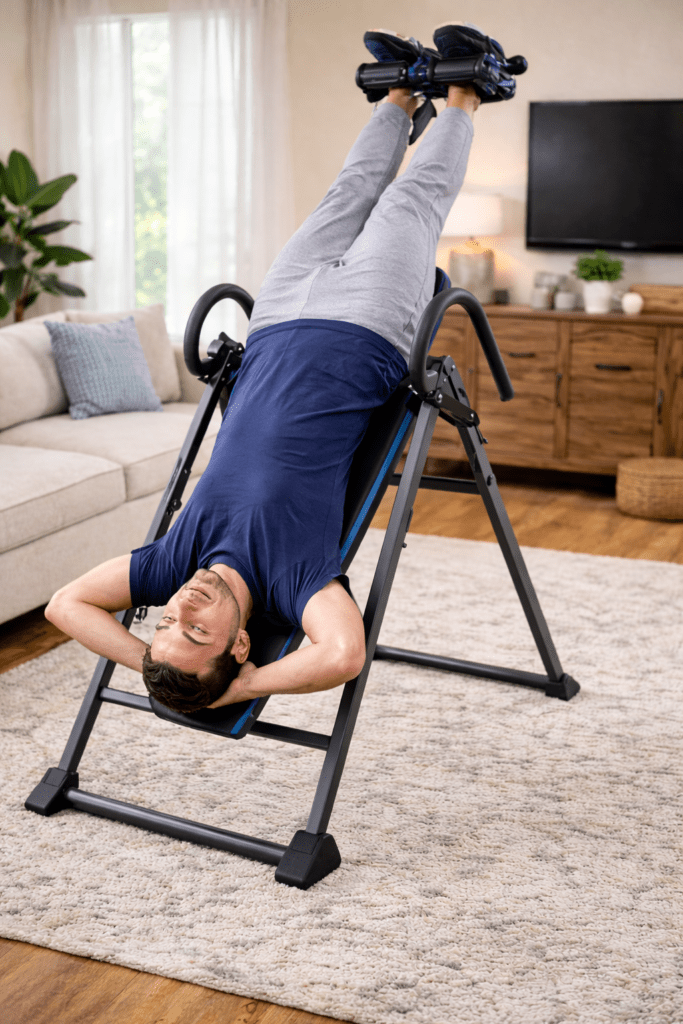
Whether manual or motorized, inversion can:
- Increase pressure in your head/skull
- Increase blood pressure while inverted
- Grow pressure behind the eyes
- Cause dizziness (especially if you come up too fast)
Cleveland Clinic specifically warns that inversion can increase pressure in the skull and recommends talking with a healthcare provider first—especially if you have blood pressure issues, heart disease, glaucoma/eye disease, reflux, pregnancy, stroke history, or brain injury.
Also: don’t treat inversion like a nap position. Healthline strongly warns against remaining upside down for prolonged periods and notes it isn’t safe to sleep upside down.
Bottom line: If you’re choosing motorized because you think it’s “safer,” don’t. It can be easier to operate, but the physiological risks don’t vanish.
Comfort: Where Manual Tables Often Surprise People
Here’s the part most shoppers underestimate:
The #1 reason people stop using inversion is ankle/foot discomfort.
Manual tables range wildly in ankle comfort systems and ease of locking. Many premium manual models emphasize ergonomic ankle supports and easy-reach handles to reduce bending. For example, Teeter’s FitSpine line highlights features like deluxe ankle locking systems and angle tethers with preset markings.
Motorized tables may feel smoother during rotation, but they don’t automatically solve ankle comfort. If your ankles hate the setup, you still won’t use it.
If you want a deeper breakdown of comfort-focused models and features, these internal pages are a solid next step:
- https://www.inversionexpert.com/teeter-inversion-table/
- https://www.inversionexpert.com/innova-itm5900/
- https://www.inversionexpert.com/innova-fitness-itx9600-good-or-bad/
- https://www.inversionexpert.com/inversion-table-benefits/
(That mix gives you both premium and value options, plus the “how to use it” context.)
Cost and Ownership: This Is Where Motorized Gets Real
Manual: one-time purchase, minimal drama
Manual tables are widely available, generally affordable, and easy to resell.
They also tend to come with recognized safety certifications and specs. Teeter, for instance, lists UL safety certification and FDA-registered 510(k) medical device claims on certain models like the EP-560.
Motorized: expensive, heavy, more maintenance risk
Motorized (powered) inversion tables are often:
- Significantly heavier (commercial-grade frames)
- Dependent on electricity
- More complicated to repair if something fails
Some reseller listings mention a manual override option for power failure on powered units like Power VI, which is great in theory—but again, this is the kind of “specialty equipment” ownership most people don’t actually want in a normal home setup.
Realistic Expectations: What Either Type Can (and Can’t) Do
What inversion can realistically do:
- Provide short-term decompression relief
- Help you feel less “compressed” after sitting or training
- Reduce muscle tension for some people
What it won’t do:
- “Fix” structural spine issues permanently
- Replace physical therapy or strengthening
- Guarantee long-term results without consistent use
Cleveland Clinic also points out that some people get short-term relief quickly, but longer-term improvements (if they happen) may take daily consistency for weeks.
Quick Decision Guide
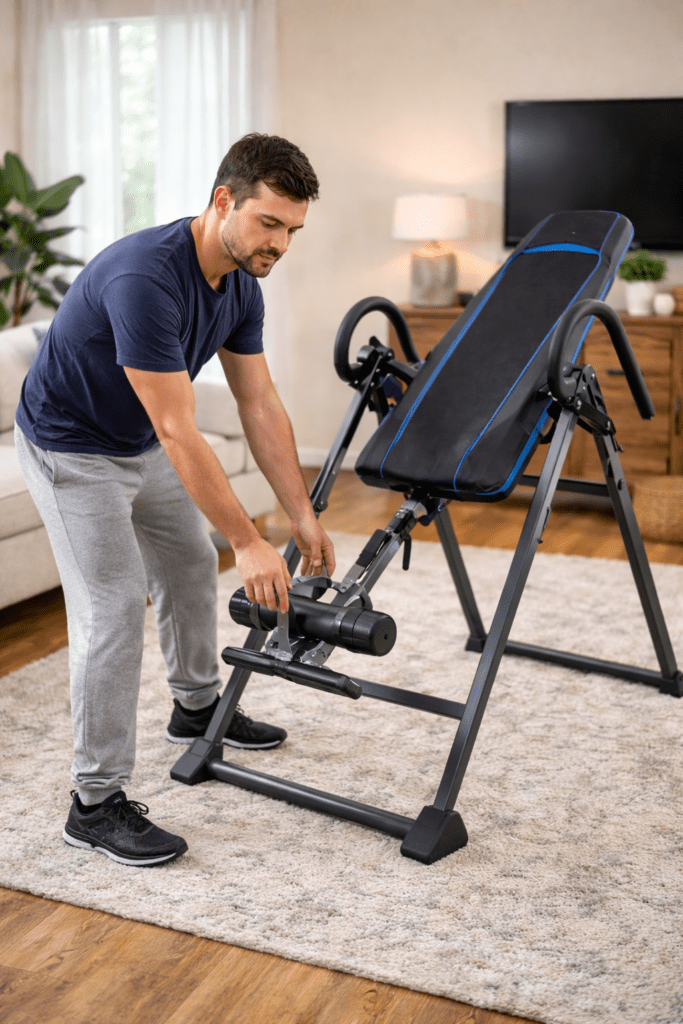
Choose manual if you want:
- Best value
- Simple ownership
- Easier storage
- Plenty of proven options
Choose motorized if you:
- Struggle to rotate or return upright on manual tables
- Want push-button operation and fixed stops
- Are okay with higher cost and complexity
- Prefer commercial-style equipment
If you’re on the fence, I usually recommend starting with a high-quality manual table first. If you can’t operate it comfortably after a week of gentle use (and proper setup), then consider motorized.
FAQs
Are motorized inversion tables safer?
Not inherently. They may be easier to operate, but inversion still increases head/eye pressure and affects blood pressure.
Do I need full inversion for results?
No. Many people get relief at partial angles. Cleveland Clinic even suggests starting small (30–45 seconds) and not overdoing it.
How long should I invert?
Start short and build slowly. Cleveland Clinic recommends starting small and notes “sweet spot” findings around a few minutes at moderate tilt in some research summaries.
Can I use inversion if I have high blood pressure or glaucoma?
That’s a “talk to your clinician first” situation. These conditions are commonly listed as reasons to avoid or use extreme caution.
Conclusion
For most households, manual inversion tables are the better pick: simpler, cheaper, easier to store, and easier to live with.
Motorized inversion tables can be worth it if you truly need push-button rotation—especially if balance, mobility, or confidence is a barrier—but you’re paying for complexity and commercial-style ownership.
If you want, tell me:
- your height/weight,
- whether you have ankle/knee issues,
- and whether you struggle more with getting into inversion or coming back up,
…and I’ll point you to the best manual-style setup (and features) that solves your specific sticking point.
Reputable Resources for More Information
- Cleveland Clinic (benefits, safety guidance, who should avoid)
- Healthline (physiological effects and safety cautions)
- Teeter product pages (examples of manual table features, UL/FDA mentions on select models)